
Choosing the right VPN is important for protecting your online privacy. Two of the best VPNs today are NordVPN vs Surfshark. Both are trusted by millions of people worldwide, but which one is better for you?
Let’s dive into this comparison to find out!
Is NordVPN Better Than Surfshark?
NordVPN and Surfshark are two of the most popular VPNs in the world. Both are excellent at protecting your online privacy and helping you access blocked websites. But choosing the right one depends on what you need.
In this post, we’ll compare NordVPN and Surfshark side by side. This will help you decide which VPN is better for you.
Comparison Table: NordVPN vs. Surfshark
| Feature | NordVPN | Surfshark |
| Price | Starts at $3.29/month | Starts at $2.30/month |
| Free Trial | 7 days (only on mobile) | 7 days (on mobile and desktop) |
| Number of Devices | Up to 6 devices | Unlimited devices |
| Server Network | 6,800+ servers in 111 countries | 3,200+ servers in 100 countries |
| Streaming Platforms | Unblocks Netflix, Hulu, Disney+ | Unblocks Netflix, Amazon Prime, Disney+ |
| Speed | Very fast (good for streaming) | Fast, but slower than NordVPN |
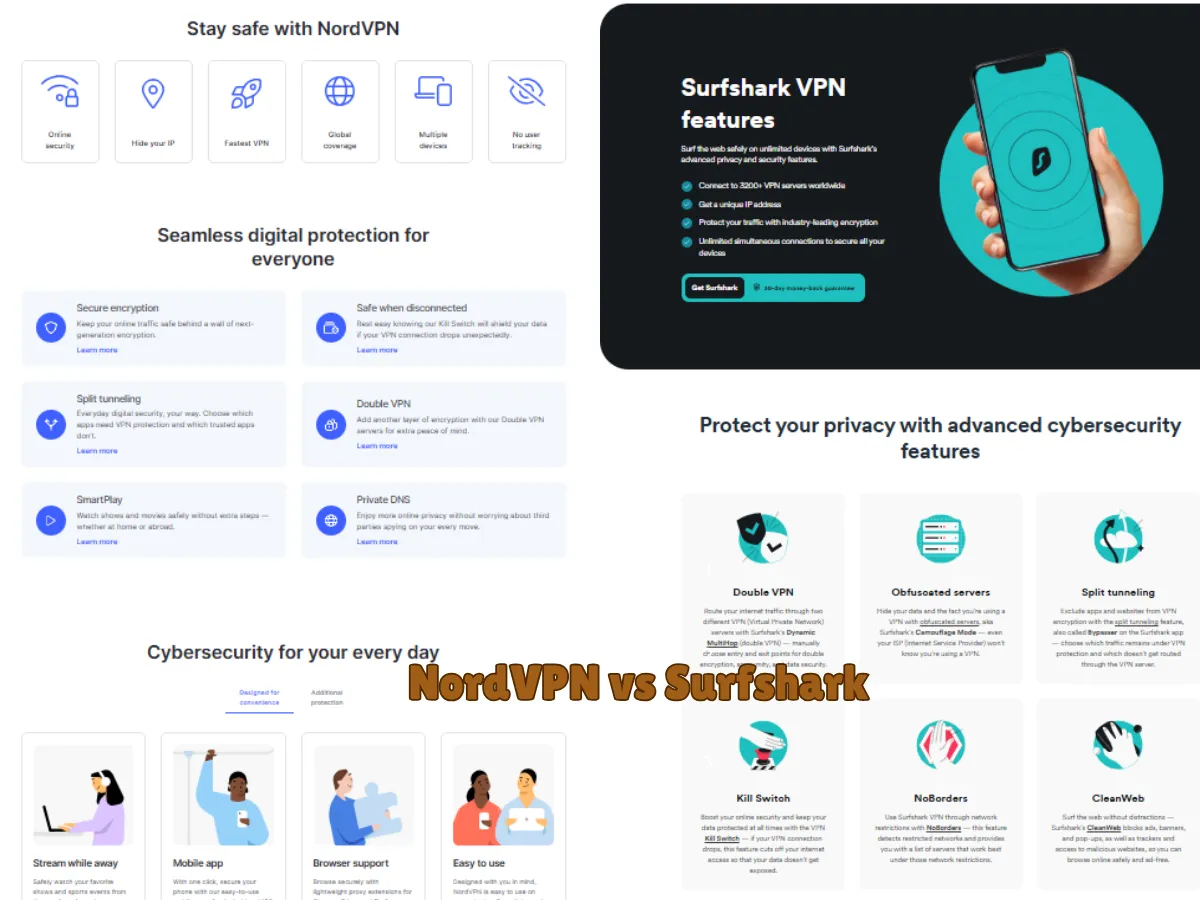
| Security Features | Double VPN, Threat Protection | GPS Spoofing, CleanWeb |
| Torrenting | Dedicated P2P servers, SOCKS5 proxy | P2P on all servers, no proxy |
| Privacy Location | Panama (privacy-friendly) | Netherlands (safe, but part of 9-Eyes alliance) |
| Kill Switch | Yes (on all apps) | Yes (on all apps) |
This table gives you a quick idea of the differences between NordVPN and Surfshark. Keep reading to find out which VPN is best for your needs!

What Is a VPN and Why Do You Need It?
A VPN (Virtual Private Network) protects your online activity by hiding your IP address and encrypting your internet connection. This means no one can see what websites you visit or track your personal data. VPNs are helpful for:
- Privacy: Hide your browsing habits from advertisers or hackers.
- Security: Protect sensitive information when using public Wi-Fi.
- Streaming: Watch shows or movies not available in your country.
- Gaming: Prevent lag or protect against DDoS attacks.
Both NordVPN and Surfshark are excellent for these tasks. However, they each have unique strengths.
Key Features Comparison Table Between 2 VPNs
Here’s a quick comparison of NordVPN and Surfshark’s main features:
| Feature | NordVPN | Surfshark |
| Server Locations | 6,800+ servers in 111 countries | 3,200+ servers in 100 countries |
| Privacy Policy | No logs, based in Panama | No logs, based in the Netherlands |
| Simultaneous Devices | Up to 6 devices | Unlimited |
| Streaming Platforms | Netflix, Hulu, Disney+, BBC iPlayer | Netflix, Amazon Prime, Disney+ |
| Starting Price | $3.29/month | $2.30/month |
| Extra Features | Threat Protection, Double VPN | GPS Spoofing, MultiHop |
Now let’s break down each category.
Pricing: Which Is Cheaper VPN?
If you’re on a budget, Surfshark is the winner. It offers plans starting at $2.30/month, while NordVPN starts at $3.29/month. Both VPNs often have discounts, especially during sales like Black Friday.
Both providers also have:
- A 30-day money-back guarantee for risk-free trials.
- Flexible payment options, including PayPal, credit cards, and cryptocurrencies.
If you want to protect multiple devices, Surfshark offers unlimited connections, making it the better value for families or households with lots of gadgets.

Speed and Performance Of NordVPN vs Surfshark
Speed is essential for smooth streaming, gaming, or downloading large files. Both VPNs are fast, but NordVPN has a slight edge thanks to its NordLynx protocol (an upgraded version of WireGuard). Here’s how their speeds compare:
- NordVPN: Faster in regions like the US and Europe.
- Surfshark: Fast too, but may drop slightly in far-off locations.
Whether you choose NordVPN or Surfshark, your browsing and streaming will feel almost as fast as using the internet without a VPN.
Part 1 Recap
- Choose NordVPN for faster speeds and advanced features like Threat Protection.
- Choose Surfshark if you need unlimited device connections at a lower price.
Security: How Safe Are NordVPN and Surfshark?
Both NordVPN and Surfshark prioritize security, but they go about it in slightly different ways. Let’s look at how they protect your data and privacy:
Encryption
- NordVPN: Uses AES-256 encryption with ChaCha20 and Poly1305 authentication. This is the same encryption used by banks and the military. It ensures no one can access your information.
- Surfshark: Also uses AES-256 encryption with ChaCha20 and Poly1305. Both VPNs are equally strong in this area.
Privacy Policies
- NordVPN: Based in Panama, a country with no data retention laws. This means NordVPN does not store any of your personal information, and your privacy is fully protected.
- Surfshark: Located in the Netherlands, which is part of the 9-Eyes intelligence-sharing alliance. However, Surfshark has a strict no-logs policy, meaning it doesn’t store any user data.
Kill Switch
A kill switch ensures your internet connection is cut off if the VPN suddenly disconnects, preventing accidental exposure of your IP address.
- Both NordVPN and Surfshark have reliable kill switches on all devices.
Additional Security Features
| Feature | NordVPN | Surfshark |
| Double VPN | Yes, encrypts traffic twice | No |
| Split Tunneling | Yes, route some apps outside VPN | Yes, it is called “Bypasser” |
| Ad & Malware Blocker | Yes, called Threat Protection | Yes, called CleanWeb |
| RAM-Only Servers | Yes, no data stored on hard drives | Yes |
Winner: NordVPN
NordVPN offers extra features like Double VPN and Threat Protection, making it slightly more secure.

Which country is best for NordVPN?
NordVPN is based in Panama, and this is one of the reasons it’s a top choice for privacy-focused users. Here’s why Panama is considered the best country for NordVPN:
1. No Data Retention Laws
Panama doesn’t have strict laws requiring companies to store user data. This means NordVPN is not legally obligated to keep logs of your online activity.
2. Outside Surveillance Alliances
Panama is not part of international surveillance alliances like the 5 Eyes, 9 Eyes, or 14 Eyes (countries that share intelligence data). This ensures your online activity stays private and won’t be shared with other governments.
3. Privacy-Friendly Environment
Panama is known for its focus on user privacy, making it a safe location for companies like NordVPN to operate.
If privacy is your main concern, NordVPN’s location in Panama makes it an excellent choice for protecting your online identity.
The best country for Surfshark VPN depends on your specific needs (privacy, speed, or accessing content). While Surfshark is based in the Netherlands, it operates a large server network in over 100 countries. Here’s a breakdown of the best countries for different purposes:
1. Best Country for Privacy: Netherlands
- Surfshark’s headquarters in the Netherlands follows strict GDPR rules to protect user privacy.
- Although the Netherlands is part of the 9-Eyes alliance, Surfshark’s no-logs policy ensures your data isn’t stored or shared.
2. Best Country for Streaming: United States
- The US is great for accessing geo-blocked content on platforms like Netflix, Hulu, and Disney+.
- Surfshark offers many servers in the US, ensuring fast streaming speeds and consistent access.
3. Best Country for Speed: Closest Location
- For the fastest VPN connection, connect to a server near your physical location. This minimizes latency and improves speed.
- Surfshark has 3,200+ servers globally, so you’re likely to find a nearby server.
4. Best Country for Bypassing Censorship: Japan or Singapore
- If you’re in a region with strict censorship (e.g., China or the Middle East), servers in countries like Japan or Singapore can help bypass restrictions.
- Surfshark’s NoBorders mode is designed to work in restrictive countries.
Streaming: Which VPN Is Better for Watching Shows?
Streaming is one of the top reasons people use VPNs. Both NordVPN and Surfshark can unblock popular streaming platforms like Netflix, Disney+, Hulu, and BBC iPlayer.
Streaming Features
- NordVPN: Includes SmartPlay technology, which automatically unblocks streaming services. It works seamlessly without extra setup.
- Surfshark: Offers Smart DNS, but it requires manual configuration.
Performance
Both VPNs provide fast speeds for buffer-free streaming. However, NordVPN has a slight edge due to its larger server network, which reduces overcrowding.
Here’s how they perform with popular streaming platforms:
| Platform | NordVPN | Surfshark |
| Netflix US | Yes | Yes |
| Disney+ | Yes | Yes |
| Hulu | Yes | Yes |
| BBC iPlayer | Yes | Yes |
| Amazon Prime | Yes | Yes |
Pro Tip: If one server doesn’t work, simply switch to another. Both VPNs have plenty of options!
Winner: Tie
Both VPNs excel at unblocking streaming services, so you can’t go wrong with either.
Features: What Else Do They Offer?
VPNs today do more than just hide your IP address. Let’s compare some unique features offered by NordVPN and Surfshark:
Unique Features of NordVPN
- Meshnet: Allows you to securely connect multiple devices, like creating a private network for gaming or sharing files.
- Double VPN: Routes your traffic through two servers for extra security.
- Onion Over VPN: Adds the privacy of the Tor network to your connection.
- Threat Protection: Blocks ads, trackers, and malware.
Unique Features of Surfshark
- Unlimited Devices: Protect as many devices as you want with one account.
- MultiHop: Similar to NordVPN’s Double VPN, it routes traffic through two servers.
- CleanWeb: Blocks ads, trackers, and malicious websites.
- GPS Spoofing: Changes your GPS location, which is great for apps that track your position.
Feature Comparison Table
| Feature | NordVPN | Surfshark |
| Unlimited Devices | No, up to 6 devices | Yes, unlimited |
| Ad Blocker | Yes, Threat Protection | Yes, CleanWeb |
| Double VPN/MultiHop | Yes | Yes |
| GPS Spoofing | No | Yes |
Winner: It depends! Choose NordVPN for advanced privacy tools like Meshnet and Onion Over VPN. Choose Surfshark for unlimited devices and GPS spoofing.
- NordVPN wins in security due to features like Double VPN and Threat Protection.
- Streaming is a tie – both VPNs work well for watching content worldwide.
- Features depend on your needs – choose NordVPN for privacy or Surfshark for more device connections.
Torrenting: Which VPN Is Better for P2P Sharing?
When it comes to downloading torrents, speed, security, and privacy are essential. Both NordVPN and Surfshark support P2P (peer-to-peer) file sharing, but they handle it slightly differently.
NordVPN
- Offers dedicated P2P servers for faster and safer torrenting.
- Includes a SOCKS5 proxy, which provides faster download speeds but less encryption (useful for advanced users).
- Automatically redirects you to a P2P server if you connect to a regular server while torrenting.
Surfshark
- Allows torrenting on all servers, meaning you don’t have to manually search for a P2P-specific server.
- Lacks a SOCKS5 proxy, but speeds remain competitive.
Torrenting Performance Comparison
| Feature | NordVPN | Surfshark |
| P2P Servers | Yes, optimized for torrenting | Yes, all servers support P2P |
| SOCKS5 Proxy | Yes | No |
| Speeds | Faster on dedicated servers | Good, but slightly slower |
Winner: NordVPN
NordVPN’s dedicated P2P servers and SOCKS5 proxy make it the better choice for frequent torrent users.

Customer Support: Which VPNs Helps You Faster?
Reliable customer support is crucial, especially if you encounter technical issues.
NordVPN
- Offers 24/7 live chat support with quick and detailed responses.
- Provides an extensive knowledge base with guides and FAQs.
Surfshark
- Also has 24/7 live chat with friendly and helpful agents.
- Includes an easy-to-navigate help center with tutorials and troubleshooting tips.
Support Comparison Table
| Feature | NordVPN | Surfshark |
| 24/7 Live Chat | Yes | Yes |
| Email Support | Yes | Yes |
| Knowledge Base | Yes, comprehensive | Yes, beginner-friendly |
Both providers excel in customer support, so this category is a tie.
FAQs Of NordVPN vs Surfshark
Here are some common questions about NordVPN and Surfshark:
1. Is NordVPN better than Surfshark?
Whether NordVPN is better than Surfshark depends on what you need. NordVPN is great if you want fast speeds, more server locations, and extra security features like Double VPN and Meshnet. It’s perfect for streaming and provides strong protection for your privacy. However, Surfshark is cheaper and lets you connect unlimited devices with one account, which is great for families. Surfshark also has good security and can unblock streaming sites. If you want the best features and don’t mind spending a bit more, NordVPN is a solid choice. But if you need a more affordable option with lots of devices and great security, Surfshark could be better.
2. Can NordVPN or Surfshark unblock Netflix?
Yes, both NordVPN and Surfshark can unblock Netflix and allow you to access content from different countries. They both have servers optimized for streaming, so you can watch Netflix libraries from places like the US, UK, Canada, and more. However, NordVPN is often considered a bit better for streaming because it has a larger server network and faster speeds, which can provide a smoother experience. Surfshark is also great for Netflix and is a more affordable option if you want to unblock content on multiple devices at once. Both VPNs regularly update their servers to bypass Netflix’s anti-VPN measures.
3. Which is better for families, NordVPN or Surfshark?
For families, Surfshark is generally the better choice. The main reason is that Surfshark allows unlimited device connections with a single account, which means every family member can connect their devices without worrying about limits. This is especially useful if you have many devices at home, such as phones, laptops, tablets, and smart TVs. On the other hand, NordVPN allows up to 6 devices with one account, which might not be enough for larger families. While NordVPN offers excellent security features and faster speeds, Surfshark’s flexibility with unlimited connections and its more affordable pricing make it the ideal choice for families.
4. Are NordVPN and Surfshark safe to use?
Yes, both NordVPN and Surfshark are safe to use. They keep your information private by using strong encryption that makes it hard for anyone to see what you’re doing online. Both VPNs also have a no-logs policy, which means they don’t store your browsing history or personal data. They are also independently checked to make sure they follow the rules. NordVPN has extra features like Double VPN for extra security, while Surfshark helps block ads and malware with CleanWeb. So, both are great choices for keeping your online activities private and secure.
5. What happens if my VPN disconnects?
If your VPN disconnects, your internet connection will be exposed, meaning your real IP address and online activities can be seen by others. This is a security risk, especially if you’re using public Wi-Fi or accessing sensitive information. To prevent this, many VPNs, including NordVPN and Surfshark, have a kill switch feature. The kill switch automatically cuts your internet connection if the VPN disconnects, protecting your privacy by ensuring that no data is sent without encryption. This way, you won’t accidentally expose your real IP address or sensitive data.
6. Is Surfshark better than NordVPN?
When comparing Surfshark and NordVPN, the better choice depends on your needs. Surfshark is more budget-friendly, starting at just $2.30/month, and it offers unlimited device connections, making it ideal for families or households with many devices. It’s easy to use and includes features like GPS spoofing and CleanWeb for blocking ads and trackers. On the other hand, NordVPN is slightly more expensive but provides faster speeds, better performance for streaming, and advanced security features like Double VPN and Threat Protection. It also has a larger server network with 6,800+ servers in 111 countries. If affordability and unlimited devices are your priority, Surfshark might be better, but for speed and advanced features, NordVPN takes the lead.
7. What is the most expensive VPN?
The most expensive VPN can vary depending on the subscription plan and the features you choose. However, some VPNs are known for their higher pricing, often due to advanced features like better security, faster speeds, or access to more servers.
One of the most expensive VPNs is ExpressVPN. It is known for its high-speed performance, excellent security features, and ability to unblock content from streaming platforms. ExpressVPN’s monthly subscription is typically around $12.95/month, which is higher compared to other VPNs like NordVPN or Surfshark.
Another expensive option is CyberGhost VPN, which offers a wide range of features and servers but also comes at a higher monthly cost, especially for short-term plans.
While these VPNs offer top-quality services, there are many more affordable options that provide excellent protection, such as Surfshark or NordVPN. Therefore, the “most expensive” VPN might not always be the best value, depending on what features you need.
8. Why is NordVPN more expensive than Surfshark?
NordVPN is more expensive than Surfshark primarily due to its larger server network, advanced security features, and superior performance. With over 6,800 servers in 111 countries, NordVPN offers a wider range of server locations, which can provide more reliable and faster connections. It also includes unique features like Double VPN, Meshnet, and NordLynx, designed for enhanced security and privacy. Additionally, NordVPN excels in streaming performance and speed, making it a top choice for users who prioritize high-quality service. In contrast, Surfshark offers a more affordable service by providing great value with unlimited device connections and a simpler set of features, making it ideal for budget-conscious users.
Conclusion: NordVPN or Surfshark?
Choosing between NordVPN and Surfshark depends on your priorities. Here’s a summary to help you decide:
| Category | Winner | Why? |
| Price | Surfshark | Cheaper plans and unlimited device connections. |
| Speed | NordVPN | Faster connections, especially on long distances. |
| Security | NordVPN | Advanced features like Double VPN and Onion Over VPN. |
| Streaming | Tie | Both unblock popular platforms like Netflix and Disney+. |
| Torrenting | NordVPN | Dedicated P2P servers and SOCKS5 proxy support. |
| Features | Tie | NordVPN for privacy tools, Surfshark for GPS spoofing/unlimited devices. |
| Customer Support | Tie | Both offer excellent 24/7 live chat and helpful resources. |
Final Recommendation:
- Choose NordVPN if you prioritize speed, advanced security, and optimized torrenting.
- Choose Surfshark if you want a budget-friendly option with unlimited device connections.
Thank you for reading this guide! Whether you choose NordVPN or Surfshark, both are excellent options for protecting your privacy and accessing global content.